4. Import suppliers and buying rules
Supplier mappings tell ShelfOps where a variant is purchased, what it costs, and how the supplier accepts orders. Download the template from Suppliers instead of creating headers from memory.
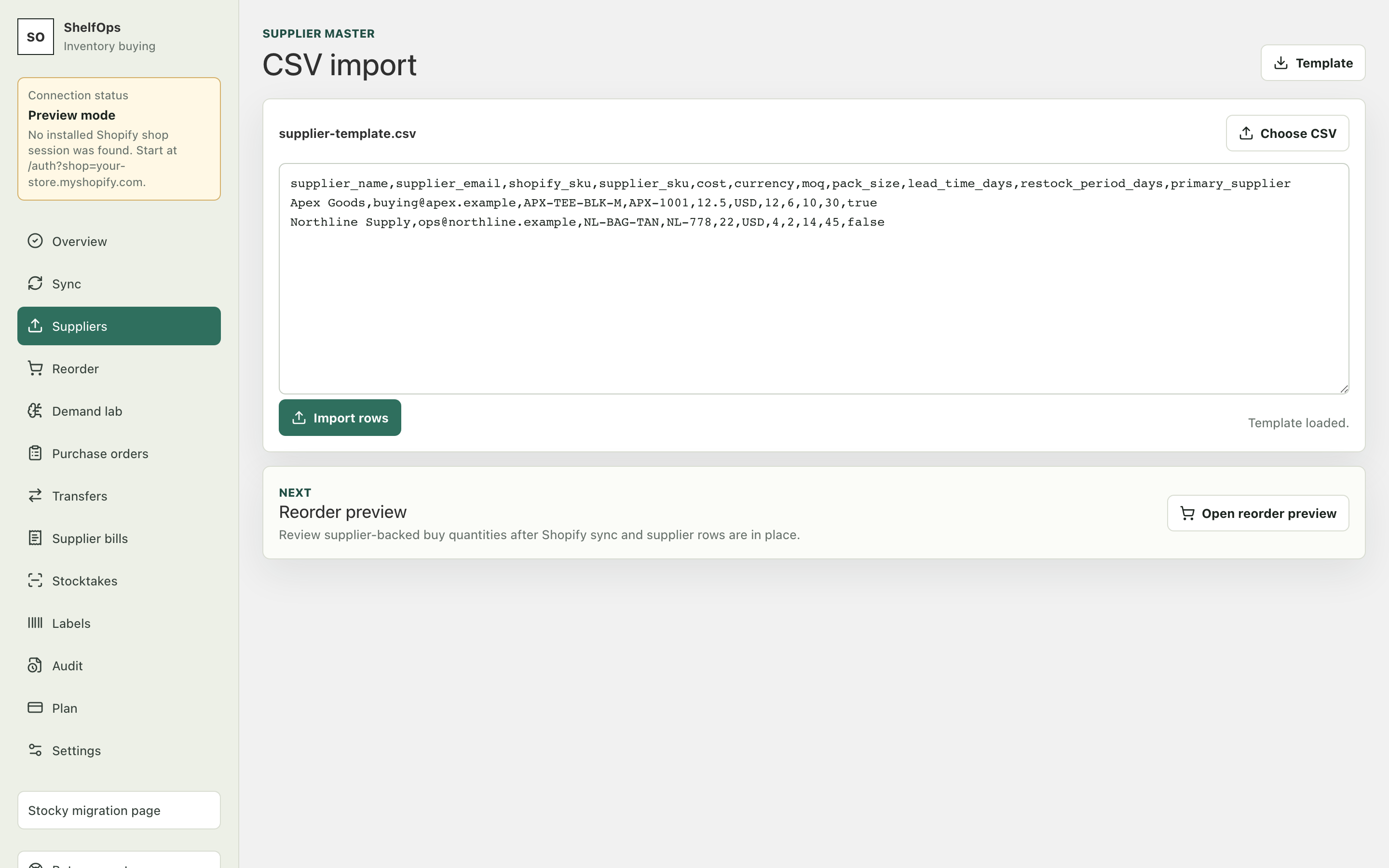
Supported supplier CSV fields
| Header | Purpose | Example |
|---|---|---|
supplier_name |
Supplier display name | Northstar Supply |
supplier_email |
Optional operational contact | orders@example.com |
shopify_sku |
Matches a Shopify variant | NS-1024 |
supplier_sku |
Supplier's own item code | BIN-LG-04 |
cost |
Unit cost in the selected currency | 4.25 |
currency |
Three-letter currency code | USD |
moq |
Minimum order quantity | 12 |
pack_size |
Required order multiple | 6 |
lead_time_days |
Expected supplier lead time | 14 |
restock_period_days |
Desired interval between buying runs | 7 |
primary_supplier |
Whether this is the default mapping | true |
Import the file
- Open Suppliers and download Template.
- Add one row per supplier-variant relationship.
- Preserve Shopify SKU spelling. SKU may be blank or duplicated in Shopify, so inspect every ambiguous or unmatched row.
- Upload the CSV.
- Review imported, skipped, duplicate, and error counts.
- Correct rejected rows and upload only the corrected data.
Expected result: supplier mappings appear in the workspace and Reorder can apply cost, MOQ, pack size, and lead time.
Stocky-era files
ShelfOps recognizes common alternate names for supplier SKU, cost, MOQ, pack size, and lead time. Use the Stocky-oriented template when migrating an existing export, then verify the normalized result rather than assuming every source column has the same meaning.