8. Receive a purchase order
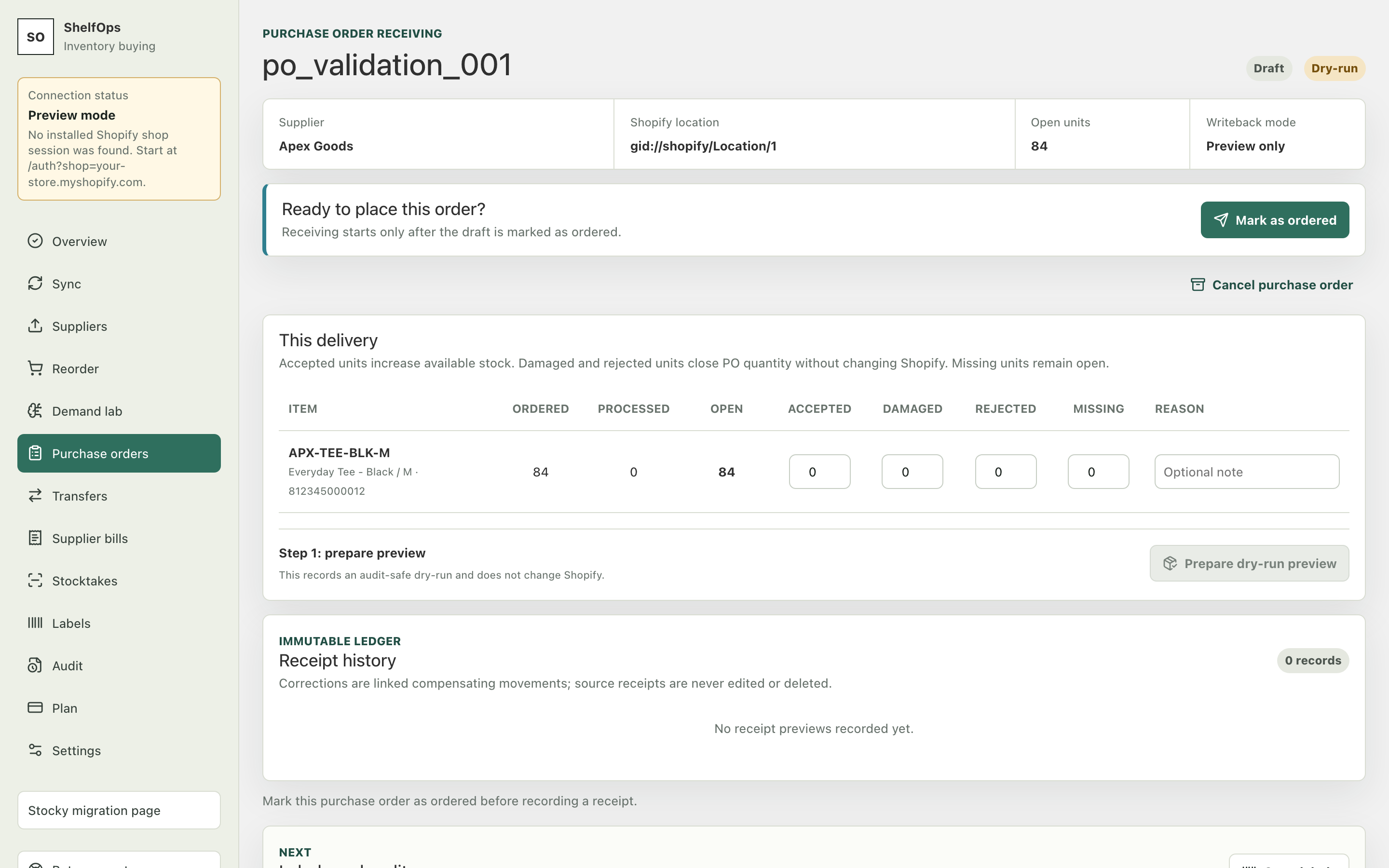
Receiving records what physically arrived. Accepted, damaged, rejected, and missing quantities remain separate. Only accepted units are eligible to increase available inventory; the other classifications remain ledger evidence.
Before you begin
- Open the correct PO and select its Shopify destination location before receiving activity.
- Confirm that Shopify data is current.
- Decide whether the store is staying in dry-run or using live receiving writeback.
- Use exact SKU or barcode scanning; a scan must identify one expected line.
Prepare and save a receipt
- Open Purchase orders, then the PO's receiving action.
- For every line, enter accepted, damaged, rejected, and missing quantities.
- Check that totals reflect the physical delivery and do not exceed the allowable PO balance.
- Save the receipt preview.
- Review the immutable preview, destination, classifications, and inventory effect.
- In dry-run, commit the internal receipt without a Shopify inventory mutation.
- In live mode, type or select the exact final confirmation for that receipt.
Expected result: the receipt is saved once, PO progress updates, receipt history remains available, and accepted quantities change Shopify only when every writeback gate passes.
Retry, timeout, and uncertainty
ShelfOps persists the receipt intent and an idempotency key before contacting Shopify. A retry uses that same receipt, payload, and key. If the result is uncertain, the PO remains locked until the exact operation is reconciled; do not create a replacement receipt.
Correct a committed receipt
Committed receipts are immutable. Create a linked correction that subtracts no more than the remaining correctable accepted quantity. The correction uses a new operation key and is visible in audit history. Correction receipts do not create new-unit labels.