5. Create reorder suggestions
Reorder combines inventory position, buying rules, and demand evidence to propose purchase quantities. The page also accepts manual quantities, which is useful for new products, special orders, or situations where historical evidence is not representative.
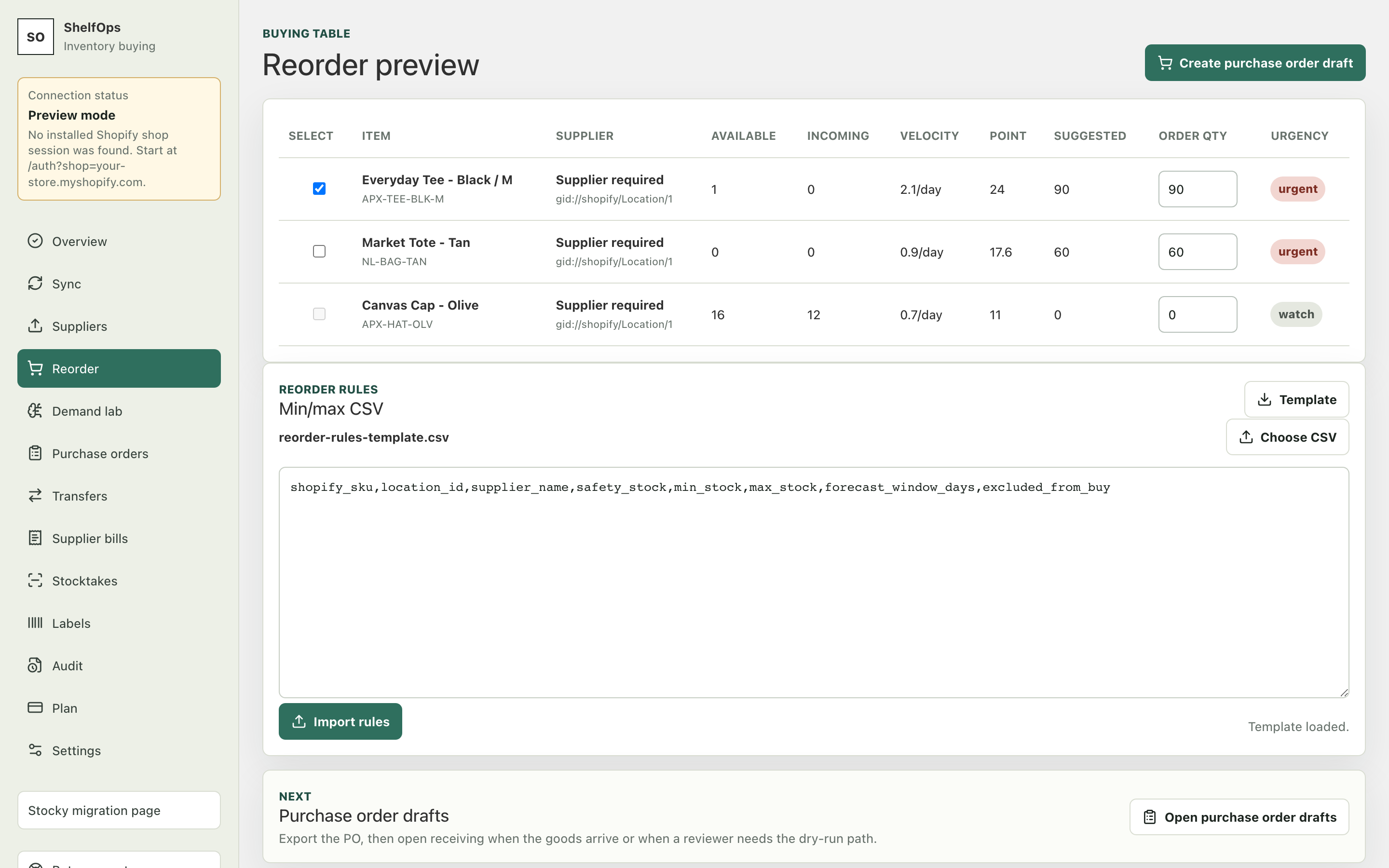
Generate a preview
- Open Reorder.
- Select a destination location and, where available, a supplier.
- Generate suggestions.
- Review each line's available inventory, inbound quantity, demand or rule context, and reason codes.
- Enter a manual quantity where the suggestion is zero or needs an operational override.
- Confirm that the final quantity respects MOQ and pack size.
- Select only the lines you intend to place on the same supplier and destination PO.
How rule-based quantities work
ShelfOps retains transparent min/max and moving-window baselines. A simplified target is demand during lead time and the desired restock period, plus safety stock, less usable inventory and reliable inbound. The result is rounded to the supplier's MOQ and pack size.
| Result | Interpretation |
|---|---|
| Positive suggestion | Inventory position is below the computed target |
| Zero suggestion | No rule-based purchase is currently needed, or evidence/mapping is missing |
| MOQ applied | The raw need was raised to the supplier minimum |
| Pack rounded | The quantity was raised to a valid order multiple |
| Manual quantity | A merchant selected an explicit quantity instead of the automatic value |