14. Inventory change controls
Settings keeps three independent controls: receiving writeback, stocktake writeback, and transfer writeback. Every store starts conservatively. Preview-only or dry-run records the ShelfOps workflow without changing Shopify inventory. Receiving and stocktake writeback are available only after their prerequisites pass; transfer writeback is currently paused at the deployment gate.
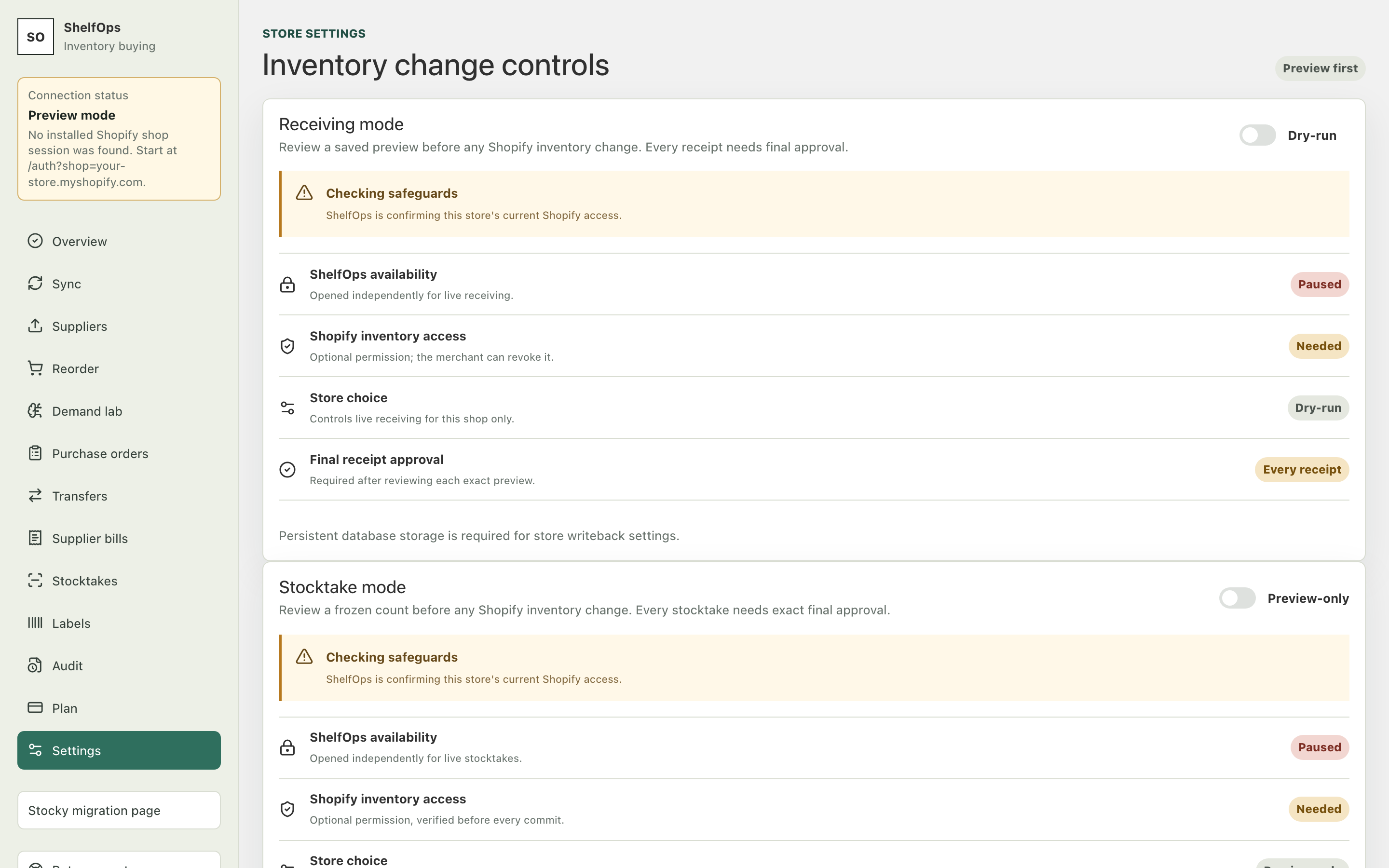
The four prerequisites
| Prerequisite | Purpose |
|---|---|
| ShelfOps availability | Operations has opened that specific capability on the deployment |
| Shopify inventory access | The store granted the optional write_inventory permission |
| Store choice | The merchant deliberately enabled that capability for this store |
| Exact confirmation | The merchant approves the immutable receipt, count, or transfer operation |
The one-time store acknowledgement unlocks the relevant store control; it does not change inventory. ShelfOps shows it only after deployment availability and Shopify permission are ready. Every actual operation still requires its own exact final confirmation.
Enable a store control
- Open Settings.
- Find Receiving, Stocktake, or Transfer mode.
- Read the first unmet prerequisite shown by the page. A paused deployment gate cannot be overridden by the store.
- Grant optional Shopify inventory access if required.
- Read and accept the one-time store acknowledgement.
- Turn on the store control for that capability.
- Return to the operation and review its exact preview before confirming.
Disable writeback
Return to Settings and turn off the relevant store control. New operations remain preview-only. Disabling a control does not erase committed history or reverse previous Shopify changes.